NORTHMELD PRACTICAL GUIDES
Extract a two-page PDF table into Excel
For a text PDF whose table continues across pages with the same columns, extract the table, check the page boundary, and export one worksheet. In this synthetic two-page sample, Northmeld merges 12 data rows into one table without repeating the header.
Prepare and download
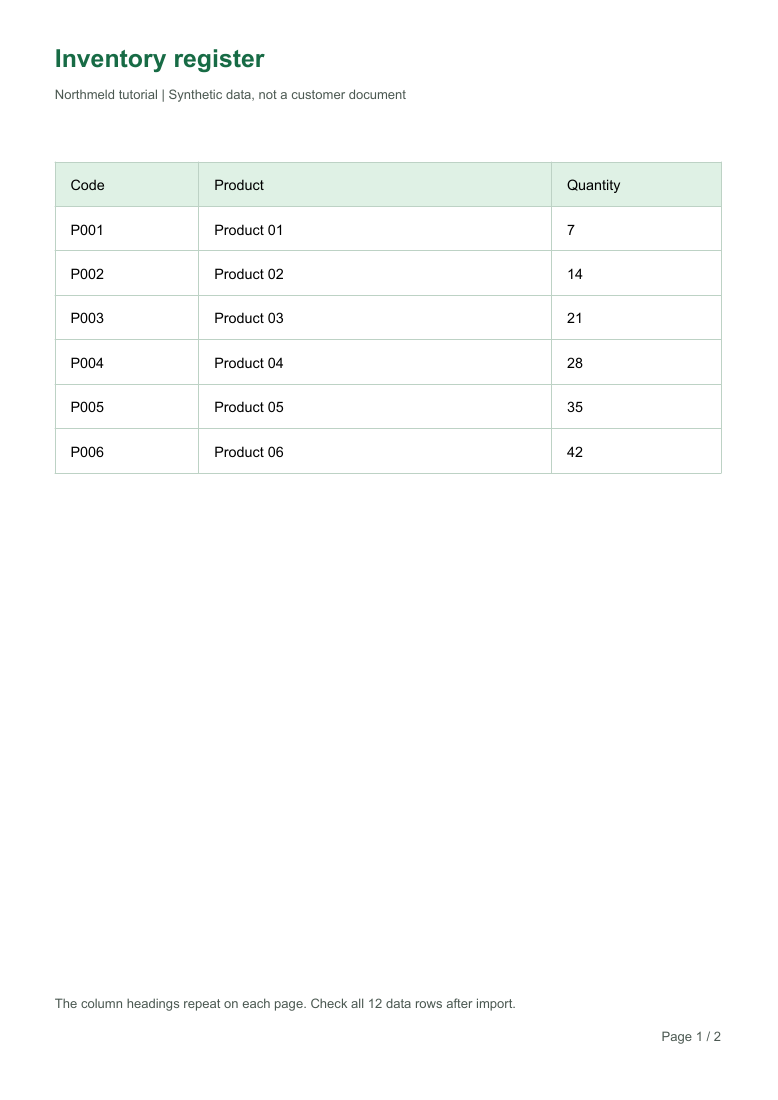
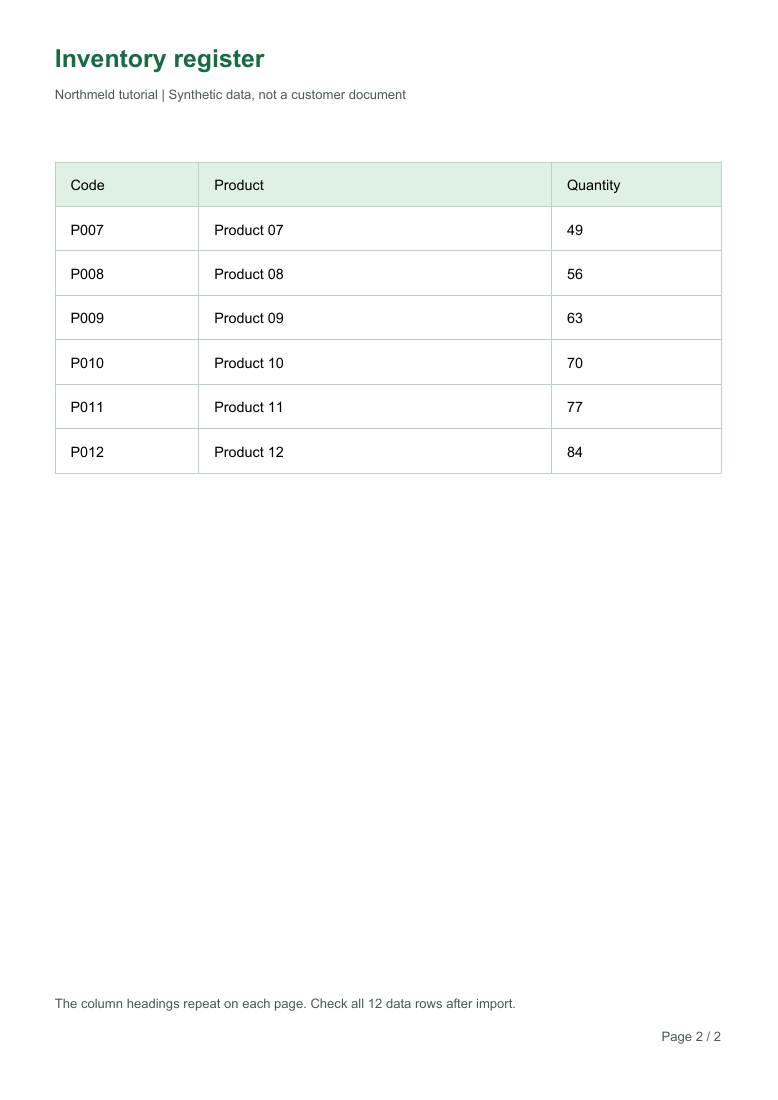
Download the source PDF below. It contains selectable text, three columns and six data rows per page. Sign in to the workspace to try the import. This example uses local text extraction; it does not test scanned documents or cloud OCR.
Source PDF page previews
Reproduce the result
Import the source PDF
Open the workspace and import multipage-input.pdf. Check that both pages are present. A PDF that only contains page images needs an OCR workflow instead.
Review the extracted candidate
Select the table with Code, Product and Quantity. Confirm that P006 / Product 06 / 42 is followed by P007 / Product 07 / 49 at the page boundary.
Check the full table
Count 12 data rows, excluding the header. The first code should be P001 and the last P012. Page titles, footers and the second page's header should not appear as data.
Export and compare
Export XLSX or CSV and compare with the downloadable expected result. Reopen the export and check the three columns, all 12 codes and quantities before using it downstream.
Actual sample results
- Input data rows
- 12
- Output data rows
- 12
- Duplicates removed
- 0
- The local extractor found two pages, required no OCR and returned one table candidate.
- All 12 rows matched the source values. The repeated column header was excluded from the data.
- Both exported files were re-imported and their cell values checked. This is a small reproducible example, not an accuracy or speed benchmark.
| Code | Product | Quantity |
|---|---|---|
"P001" | "Product 01" | "7" |
"P002" | "Product 02" | "14" |
"P003" | "Product 03" | "21" |
"P004" | "Product 04" | "28" |
"P005" | "Product 05" | "35" |
"P006" | "Product 06" | "42" |
"P007" | "Product 07" | "49" |
"P008" | "Product 08" | "56" |
"P009" | "Product 09" | "63" |
"P010" | "Product 10" | "70" |
"P011" | "Product 11" | "77" |
"P012" | "Product 12" | "84" |
Limits and human review
- Different column widths, merged cells or a changed header across pages can prevent correct merging. Inspect each page and do not assume every continuation belongs to the same table.
- A visible table is not always a text table. Scanned pages need OCR and separate verification of characters and numbers.
- If a candidate includes a footer or misses a row, correct or choose the appropriate range before export. Keep the source PDF for comparison.